


Sticker.ly - Sticker Maker
4.45.68K Reviews
App Specs
- Version
- 3.36.1
- Updated On
- License
- Free
- Downloads
- 100,000,000+
- Developer
- Naver Z Corporation
- Categories
- Communication
- Platform
- Android, iOS
Screenshots
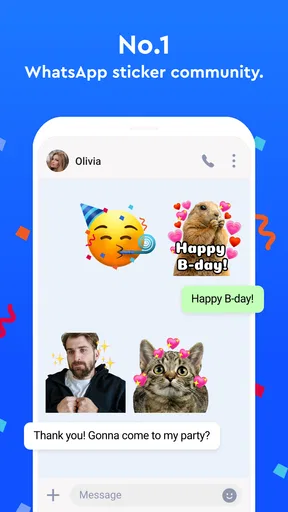
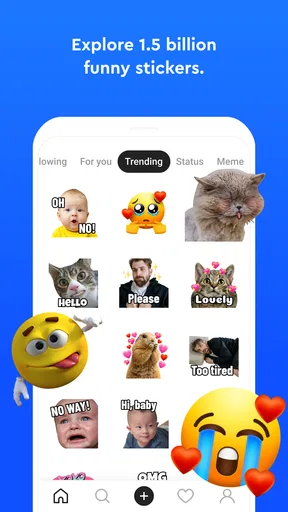
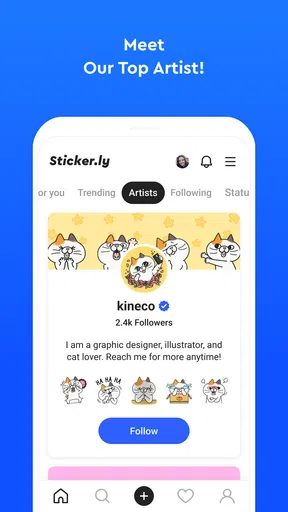
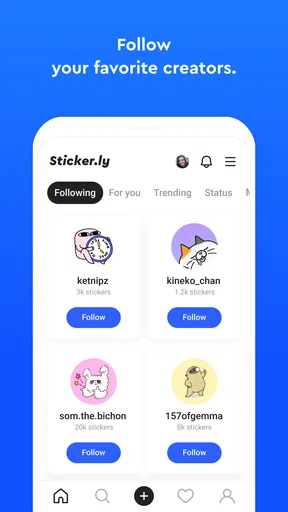
 Analysis by AppCompare
My first week with Sticker.ly - Sticker Maker was easy to understand: whenever a chat needed a reaction more personal than an emoji, I started looking for a picture I could turn into one. Making a sticker from a familiar face or a pet gives a conversation its own little shorthand, and the meme tools make it simple to put an inside joke into circulation. That immediate payoff is real, though it is also the stage when the novelty is strongest. The longer-term question is whether a growing collection stays useful or becomes one more thing to sort through.
How it fits into an ordinary chat routine
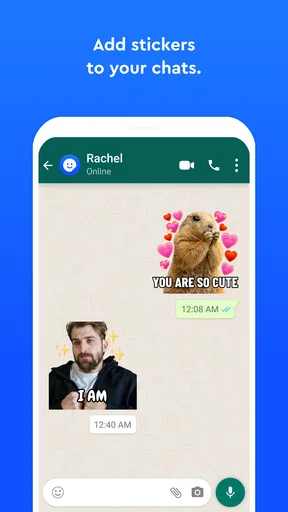
I found the app most useful when I treated it as a small creative tool rather than a place to spend a long time browsing. For example, if a friend shares a funny photo in a group chat, I can use the moment as inspiration, make a sticker or add text for a meme, then send the result where the conversation is already happening. That is more satisfying than saving the image and forgetting it, and it gives a group a reaction that feels specific to the people in it.
The practical value depends on how you communicate. If your chats are full of repeated jokes, familiar faces, and quick reactions, a few carefully chosen stickers can save you from typing the same explanation again. If you mostly exchange work details or prefer plain text, making and collecting stickers may feel like an extra step for a modest payoff. I would not install it expecting it to improve every conversation; its best moments are personal and playful.
Choosing what to keep, not just what to make
One useful habit is to be selective. A large stash may look fun while you browse, but it is less helpful when you are trying to respond quickly. I recommend saving only stickers you can picture using again, whether they express a common reaction or belong to a recurring joke. That makes the personal collection more like a compact set of responses than an archive of every amusing image you have seen.
There is also a difference between making something for one person and making something you want to reuse. A very specific meme can land perfectly in a close-friends chat but make little sense elsewhere. Before spending time polishing one, I ask myself where it will go and whether the joke will still read without extra context. That quick check helps avoid collecting creations that are funny once but awkward to send again.
What to expect from the free app
Sticker.ly is a free communication app from Naver Z Corporation, with optional in-app purchases priced from $3.49 to $34.99 per item. Its current version is 3.28.0, and it runs on devices with Android 7.0 or later. The app has a 4.5 average from around 2.3 million ratings and more than 100 million installs, which suggests it has reached a broad audience, though popularity alone does not tell you whether its creative workflow suits you. It is rated for teens.
Compared with making a quick image in a general photo editor, Sticker.ly is more focused on turning creations into something you can use in chats. Compared with relying only on the sticker tools already inside a messaging app, it gives you a dedicated place to create, browse, and save work. The trade-off is another app to open and maintain. If you only send an occasional reaction, your messenger’s built-in options may be enough; if you enjoy building a recognizable set of personal stickers, a dedicated maker has a clearer purpose.
Worth Reading Before You Choose

Flipboard Shows What News Apps Must Do Beyond the Feed

Switching to Android Auto Means Rethinking Your Driving Routine

Google Calendar Makes a Crowded Week Easier to Manage

Ludo King Makes the Most of the Minutes Between Plans

Baby Panda World Brings Quick Play to Modern Phones, but Its Game Library Feels Busy

ESPN’s Live Game View Makes Following Close Games Easier
Where the routine can lose its shine
The biggest friction for me is not making one sticker; it is keeping a collection useful over time. Browsing community creations can spark ideas, but it can also turn a quick task into aimless scrolling. I get more lasting value by opening the app with a purpose—make a reaction for a particular person, find a style I want to save, or create a meme for a chat—then leaving when that job is done. That boundary keeps discovery from taking over the actual conversation.
There is a creative trade-off too. An image can be instantly recognizable to you but hard to understand when reduced to a sticker, and added text can make a joke clearer while also making the result feel crowded. I try to keep the subject obvious and the wording brief, especially for something meant to work at a glance. It is worth previewing a creation in the context where you plan to send it rather than judging it only on the editing screen.
Who will get the most from it?
I would recommend Sticker.ly to people who enjoy customizing group chats, collecting visual reactions, or making memes from familiar images. It is especially appealing if you already have a few recurring jokes with friends and want to give them a visual form. People who prefer a tidy phone, rarely use stickers, or want one app to handle every kind of image editing may be happier with their messenger’s built-in tools or a general editor instead.
For younger users, the teen content rating is a useful detail for families deciding whether the app is appropriate. In practice, I would also think about the kinds of images a person plans to turn into stickers and share: a joke that feels harmless among close friends may not travel well to a broader audience. Keeping creations within the right chat and being considerate about other people’s photos makes the playful side easier to enjoy.
After the first burst of experimenting, I found that the app’s staying power comes less from making something new every day and more from having a small collection I genuinely reach for. I would not keep it installed just to browse endlessly, but I would keep it if personalized stickers and quick memes are part of how my friends and I talk. The best way to judge that is to make a few creations for real conversations and see whether you still use them once the initial novelty fades.
Unleashing Your Inner Artist
So, what's the big deal with Sticker.ly - Sticker Maker? First off, the app offers an intuitive interface that's a breeze to navigate. Whether you're a tech wizard or just someone who likes to keep things simple, you'll find this app incredibly user-friendly. The moment you open it, you're greeted with a clean and organized layout that practically invites you to start creating.
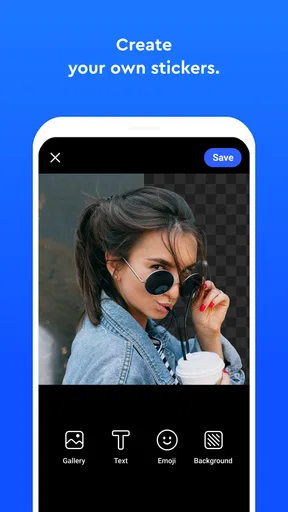
Now, here's where it gets interesting. The app allows you to create custom stickers from literally any image. Have a picture of your dog pulling a silly face? Turn it into a sticker! Your best friend's goofy selfie? Sticker-worthy! The app's cutting-edge image detection feature lets you effortlessly crop images, making it seem like the app somehow knows exactly what you want to capture.
A Community of Creators
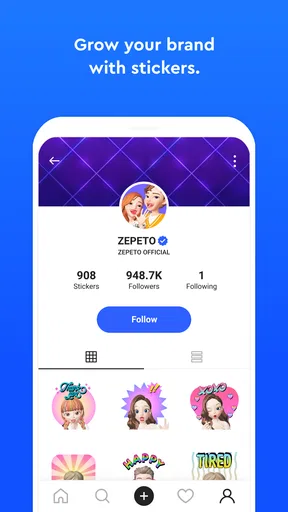
But wait, there's more! Sticker.ly isn't just about making stickers for yourself. It's about sharing and discovering. The app boasts a thriving community where users from around the globe share their creations. Browsing through the community section, you'll find an endless array of stickers, ranging from the hilarious to the downright artistic. It's like wandering through a digital sticker museum!
And here's a pro tip: you can save your favorite stickers and add them to your personal collection for quick access. Whether you're in the mood for something funny, cute, or just plain weird, there's a sticker for every occasion.
From Stickers to Memes
One feature that really stands out is the meme-making capability. If you've ever wanted to create your own memes without the hassle of using a separate app, Sticker.ly has got you covered. With a few simple taps, you can add text to your images, adjust fonts, and even play around with different styles to make your memes pop.
This feature encourages users to let their imaginations run wild. Need to roast a friend? Create a meme. Want to express an inside joke? Meme it up. It's an endless cycle of creativity and fun that keeps you coming back for more.
Seamless Integration and Sharing
Sharing your creations is as easy as pie. Sticker.ly integrates smoothly with popular messaging apps like WhatsApp and Telegram. This means you can instantly send your stickers and memes to friends and family without any hassle. Plus, the app supports various social media platforms, allowing you to showcase your sticker-making prowess to the world.
I also appreciate the app's ability to support multiple languages, making it accessible to users worldwide. It truly feels like the developers have gone out of their way to ensure everyone can join in on the sticker fun.
Keeping Things Fresh
One of the things I love about Sticker.ly is its regular updates. The developers are consistently adding new features and improvements, ensuring the app never feels stale. Whether it's new editing tools or fun seasonal sticker packs, there's always something fresh to explore.
In my time using the app, I've noticed that the community is quite active, often suggesting features and providing feedback. It's clear that the developers are listening, which is always a good sign in the app world.
So, there you have it. Sticker.ly - Sticker Maker is more than just a sticker app; it's a creative platform that brings people together through laughter and fun. Whether you're creating for yourself or sharing with others, this app is bound to become a staple in your digital communication arsenal. Give it a try and let your creativity take the wheel! 🚀
Pros
- User-friendly interface for easy sticker creation.
- Wide variety of templates to choose from.
- Supports animated stickers for added fun.
- Direct sharing to WhatsApp and other apps.
- Regular updates with new features and stickers.
Cons
- Contains ads which can be intrusive.
- Some features require in-app purchases.
- Occasional bugs may affect performance.
- Limited editing tools compared to other apps.
- No option to create stickers from GIFs.
FAQs for Sticker.ly - Sticker Maker
What is Sticker.ly, and how does it work?
Sticker.ly is a popular app designed for creating and sharing custom stickers for messaging apps like WhatsApp and Telegram. Users can design stickers using their own images or explore the vast library of ready-made stickers. The app also allows you to organize your sticker collections and share them easily with friends.
Is Sticker.ly available for both Android and iOS devices?
Yes, Sticker.ly is available for download on both Android and iOS platforms. You can find it on the Google Play Store for Android devices and the Apple App Store for iOS devices. The app is regularly updated to ensure compatibility and introduce new features for both operating systems.
Does Sticker.ly require a subscription or in-app purchases?
Sticker.ly is free to download and use, offering a variety of features without any cost. However, it does contain in-app purchases for premium features and an ad-free experience. Users can choose to opt for these purchases to enhance their sticker creation and sharing capabilities.
Can I use Sticker.ly stickers on any messaging app?
Sticker.ly is primarily designed for WhatsApp and Telegram, allowing users to create and export stickers directly to these platforms. However, you can also save stickers as images to use in other messaging apps, though the integration might not be as seamless as with WhatsApp and Telegram.
What permissions does Sticker.ly require on my device?
Sticker.ly requires access to your device's storage to save and manage sticker files. It may also request access to your camera and photos if you wish to create custom stickers using personal images. Rest assured, the app is designed to respect user privacy and data security.


